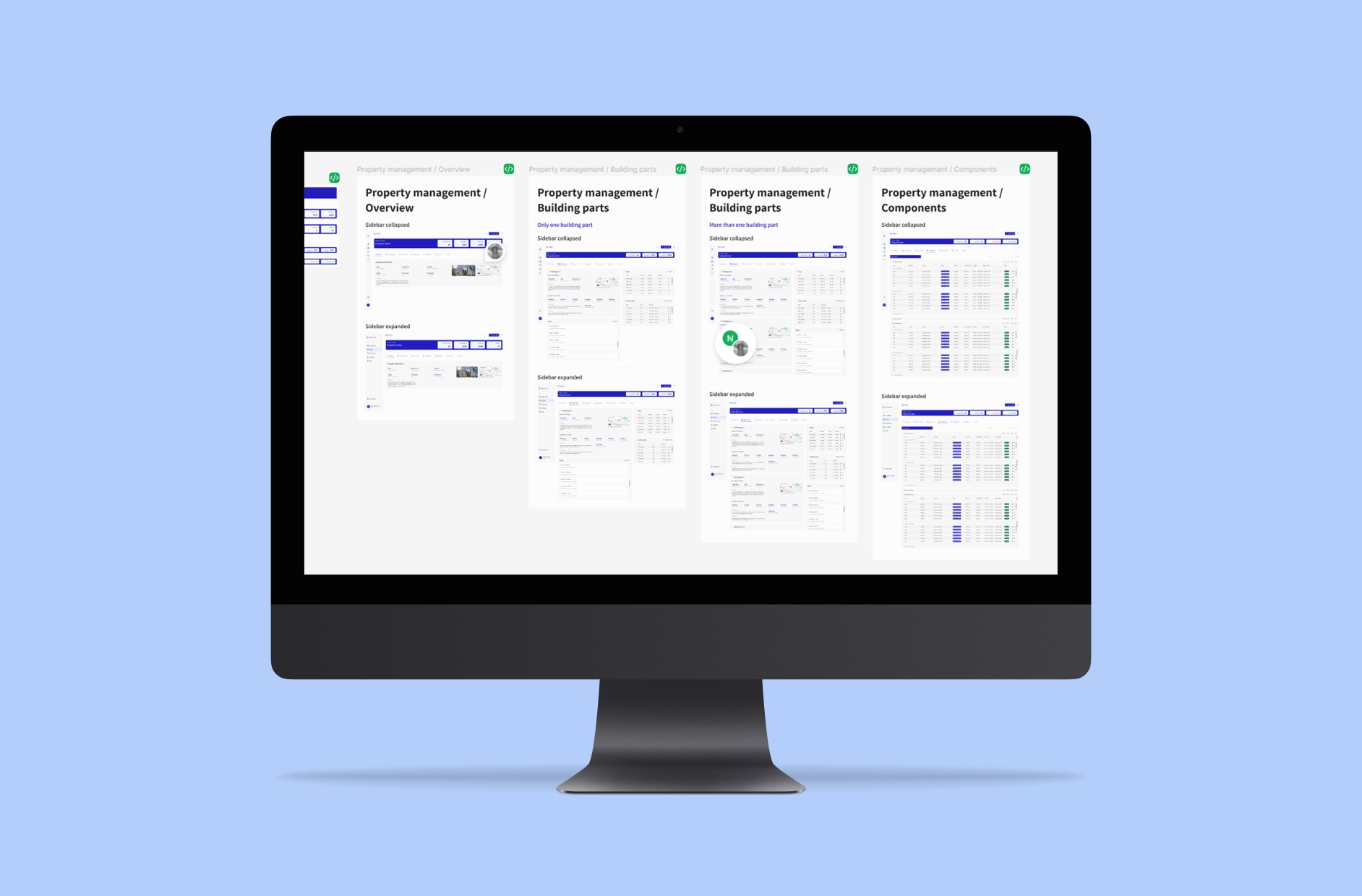
Turning data-heavy property management into actionable workflows
My role
As the sole product design intern, I redesigned core platform screens, designed new features, and created a design system from scratch, while collaborating with the team on information architecture.
The company
Vouhn GmbH is an early-stage B2B SaaS startup in the industry of PropTech and facility management.
The team
Remote and in-person collaboration with product manager, engineering, branding, and sales teams.
Overview
Designing clarity for information-heavy property management
This project focused on rebuilding and redesigning a legacy property and facility management platform used by engineering offices in Germany. The product needed to scale from a basic, feature-poor system to a modern SaaS solution supporting thousands of properties, multi-client portfolios, and role-based access for different stakeholders. The core objective was to improve information hierarchy and usability while maintaining familiarity for existing, low-tech users.
The challenge
Managing data density without overwhelming users
Users manage large property portfolios with thousands of assets, each involving documentation, maintenance tasks, deadlines, and operational data. The legacy platform exposed too much information at once through dense tables and fragmented layouts, leading to visual overload, poor scanability, and high cognitive load. The main challenge was balancing data density with readability while preserving familiar patterns for low-tech users.
The goals
Simplifying complex data through clear information hierarchy
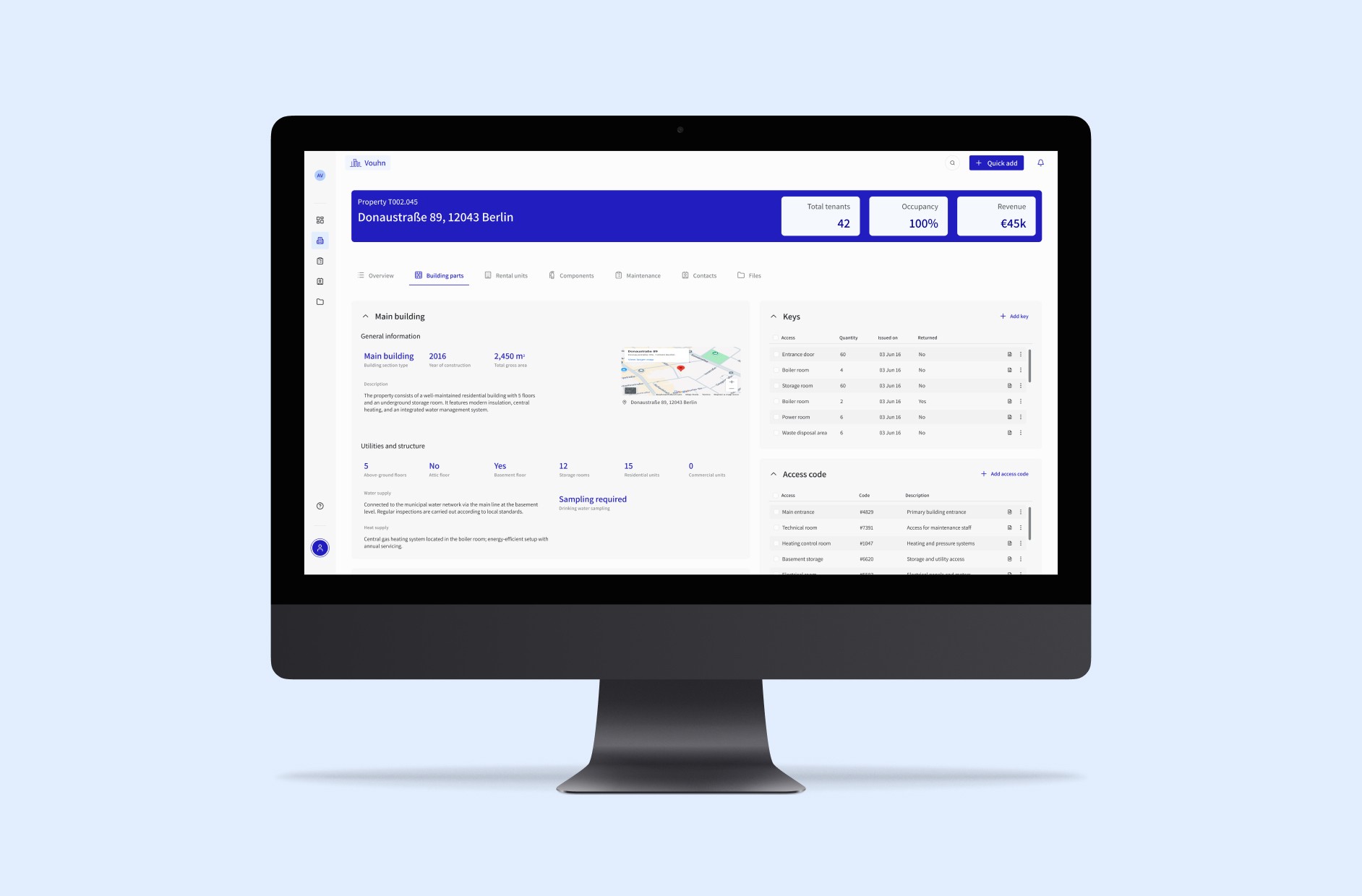
After establishing the design system, the goal was to simplify complex property data through a clear information hierarchy that helps users quickly identify what matters most. By reorganizing content through structured layouts, consistent UI patterns, and progressive disclosure, using tabs, accordions, expandable table rows, hover states, tooltips, and step-based forms, the platform aimed to reduce visual overload, streamline workflows, and enable users to manage large property portfolios efficiently without having to think about the interface.
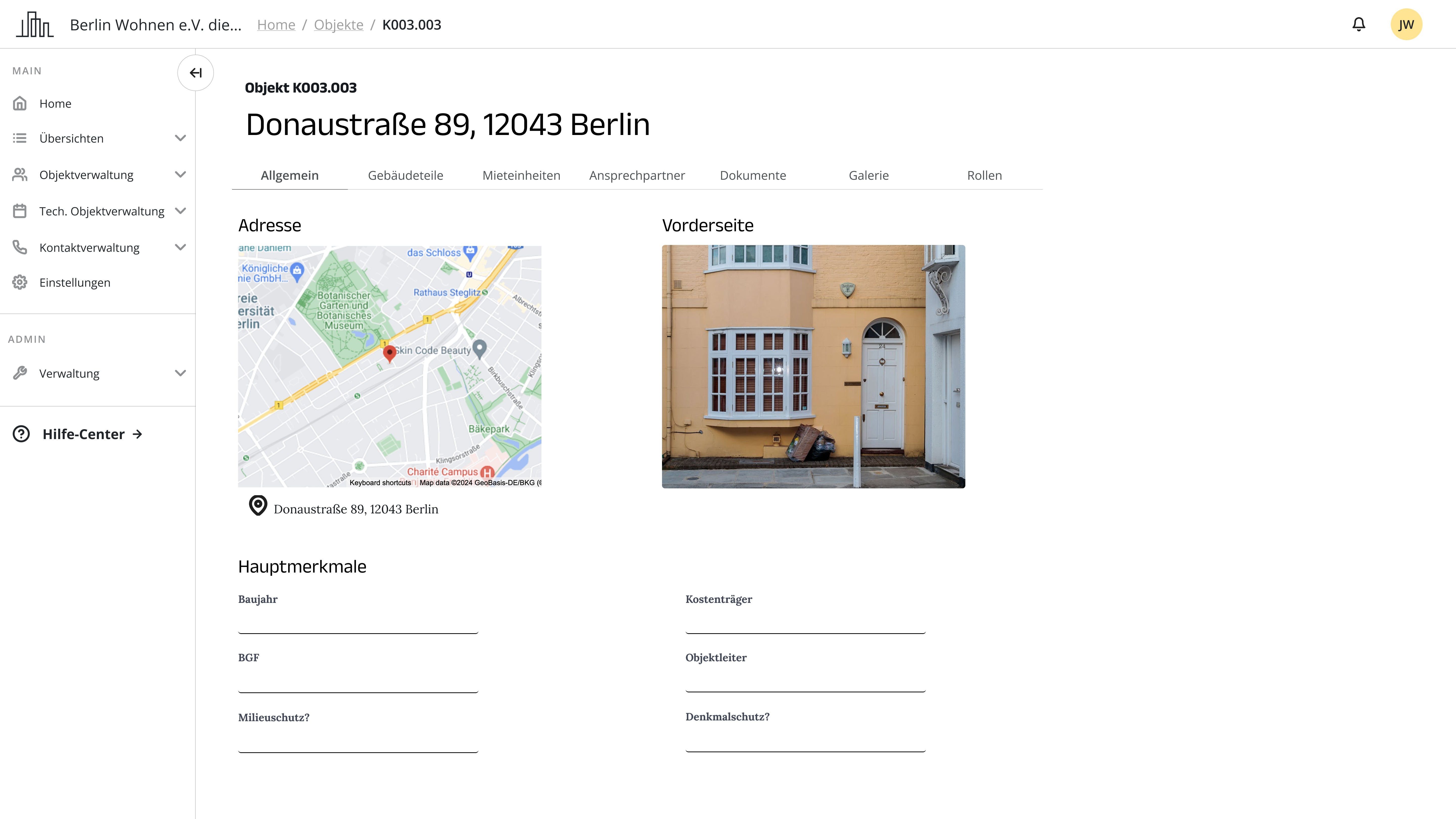
Property management page before redesign
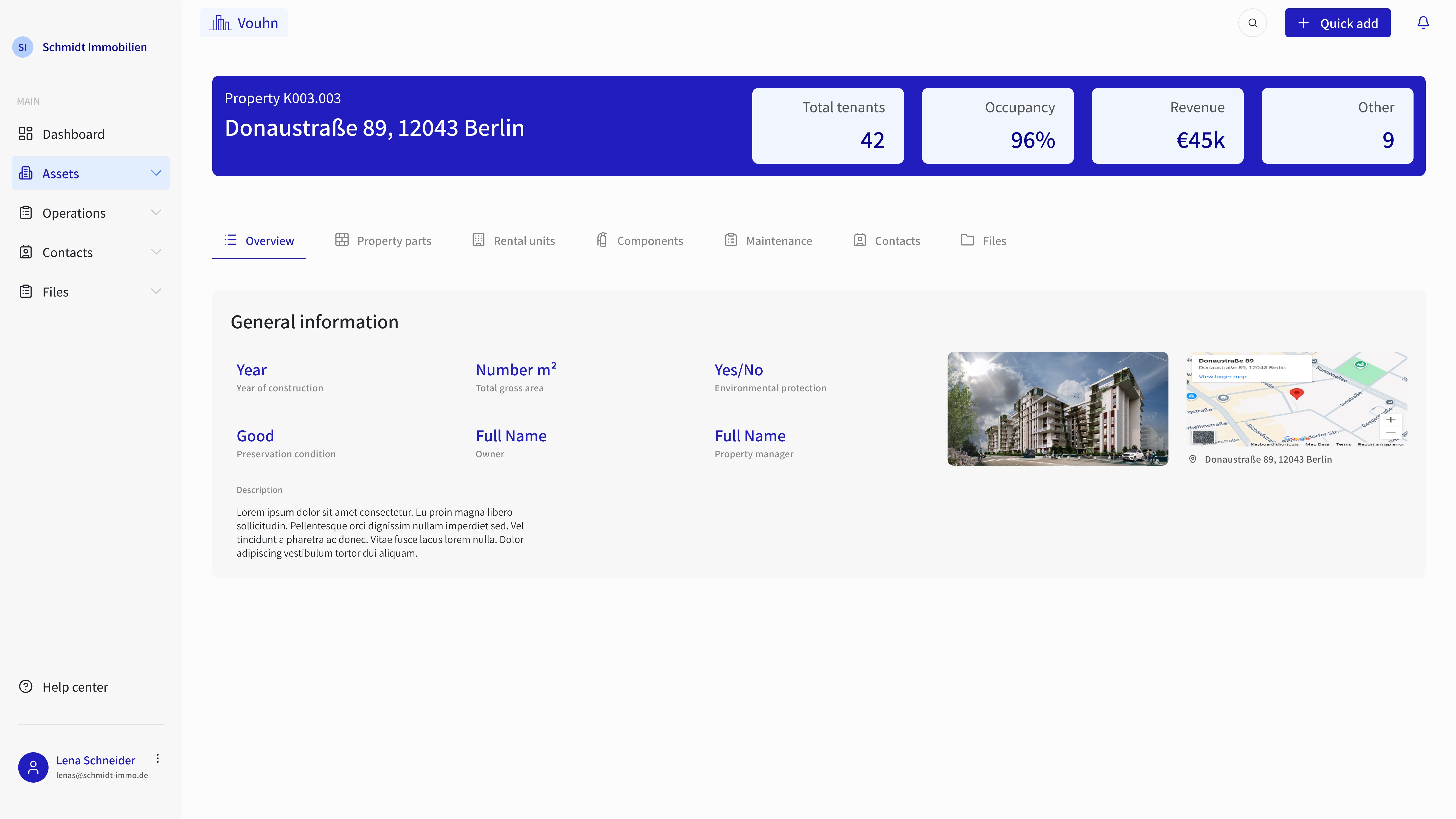
Property management page after redesign
The outcomes
Clearer workflows and reduced cognitive load at scale
Simplifying complex operational data
Redesigned the legacy Technical Facility Management module, which relied on dense, multi-header grids and horizontal scrollbars that hindered scanning. To help users quickly identify key operational data, I introduced expandable tables with alternating row colors to differentiate rows and improve scanability, grouped sections under sticky headers to maintain context while scrolling without the need for multiple headers, and simplified layouts to surface only the most important information, improving readability while preserving familiar interaction patterns to support adoption among low-tech users.
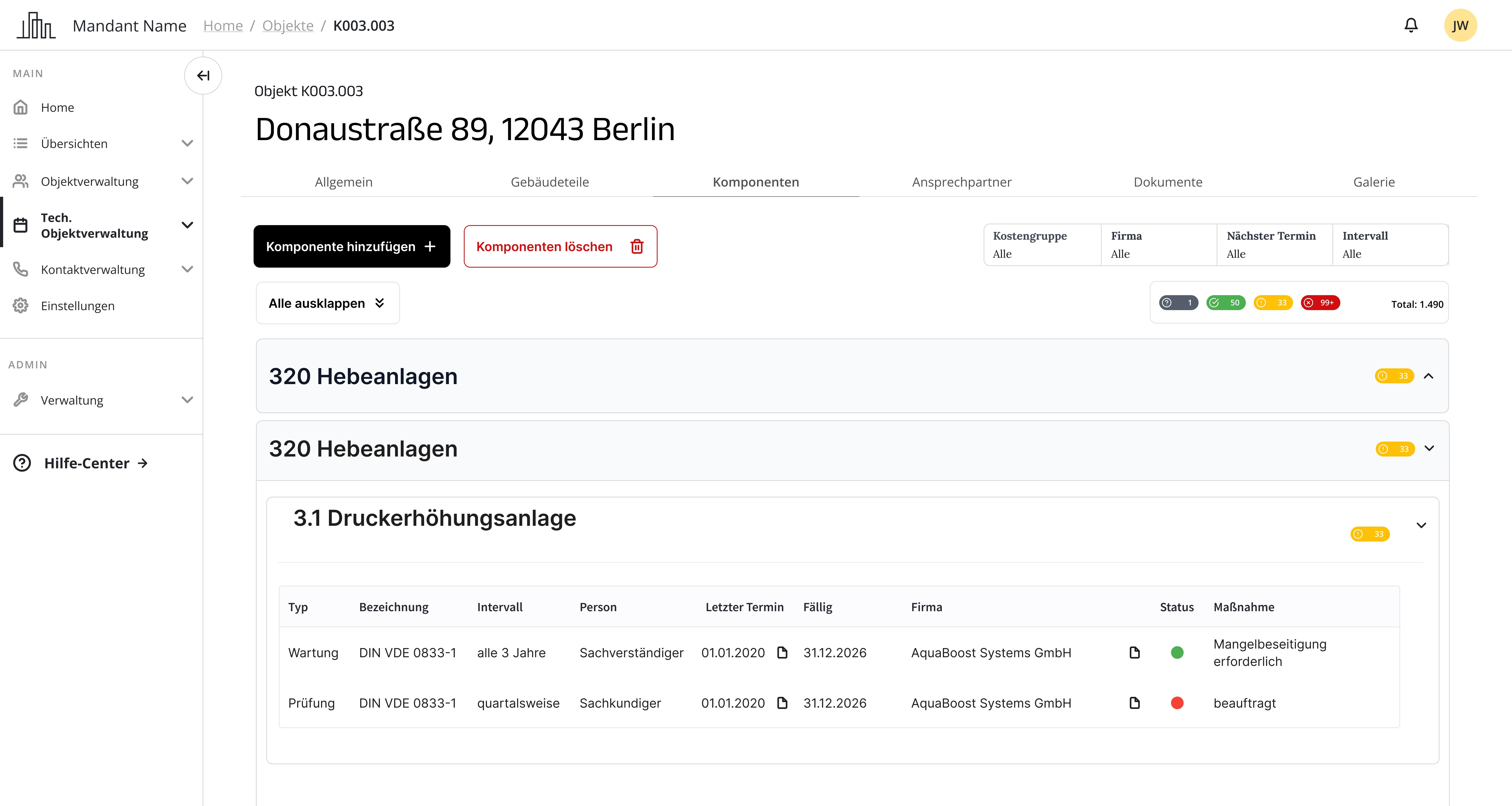
Technical facility management before
Technical facility management now
Reducing visual overload with progressive disclosure and accessibility
Improved information hierarchy by reorganizing content across tabs, accordions, and bento grids to group related sections and reveal secondary information only when needed, reducing visual overload and making it easier for users to quickly find what they’re looking for. Added hover states with additional actions, tooltips, and step-based forms to provide contextual details without cluttering the interface. I also enhanced accessibility by increasing font sizes, adjusting color contrast, and refining spacing based on feedback, ensuring the interface remained clear and usable for all users.
Streamlined property setup and operational overview
Redesigned the property management page and related forms to support key workflows, including adding and managing properties and uploading and categorizing documents, enabling users to maintain a centralized and structured property database.
I also designed an operational dashboard draft to provide at-a-glance visibility of bookmarked properties, notifications, and pending tasks using a bento grid layout. Although the dashboard was deprioritized in favor of core features, it helped guide future directions for data visualization and task overview.
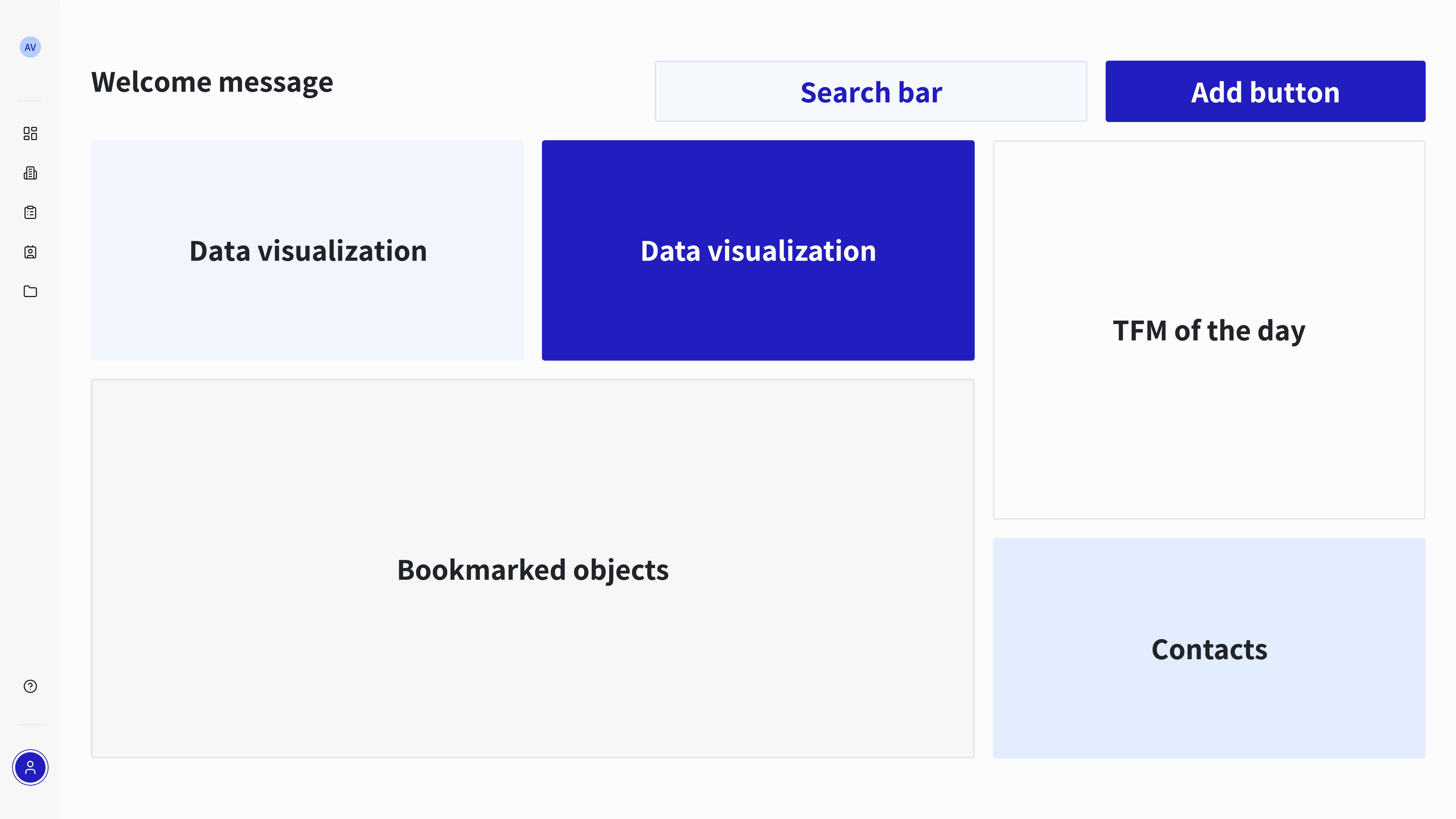
Early dashboard layout exploration
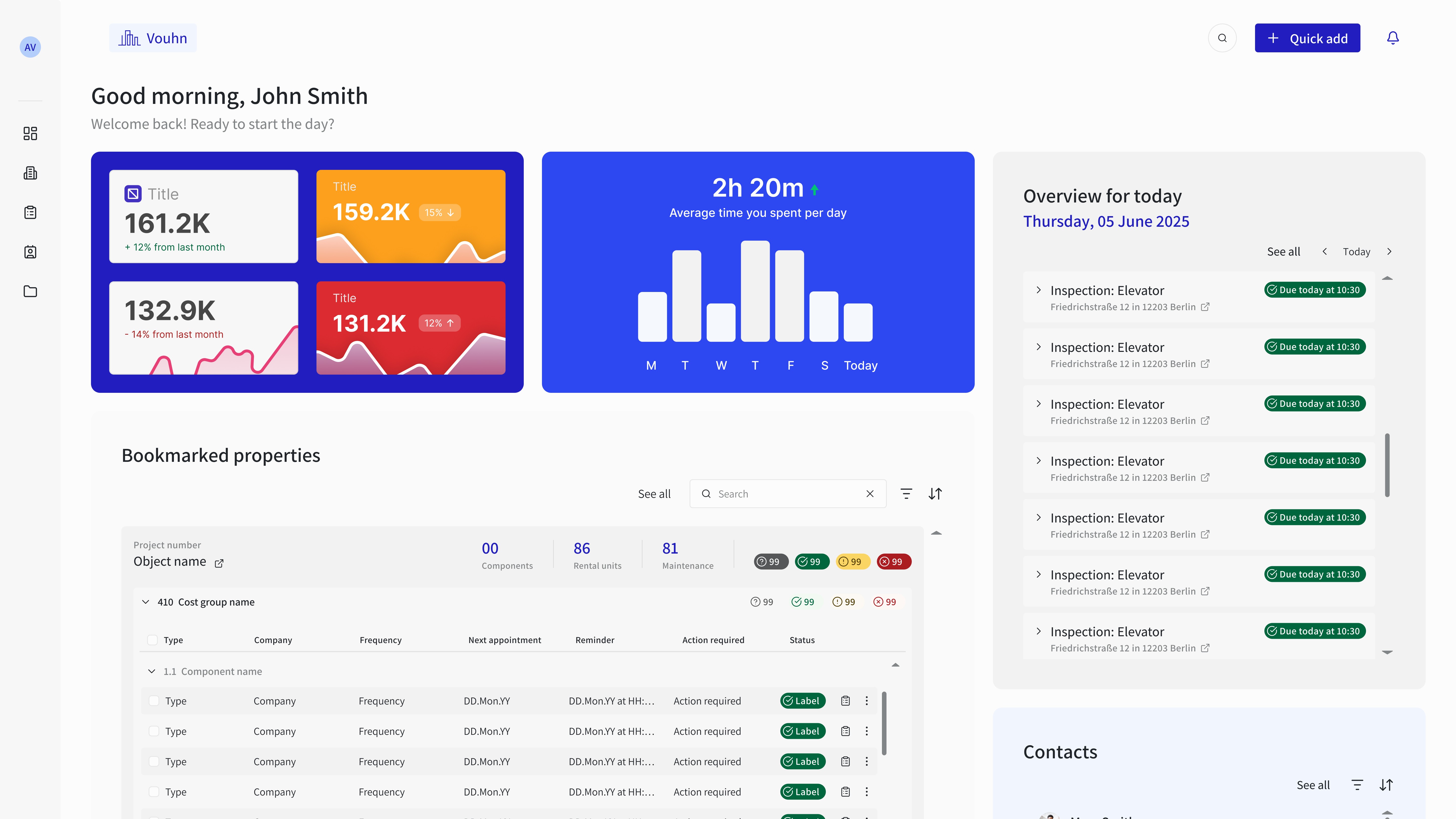
Refined dashboard draft
Proactive task management through centralized notifications
Designed a centralized notification system to help users manage deadlines, maintenance tasks, and key updates without feeling overwhelmed. The system offers customizable preferences, including categories and delivery modes such as email alerts and reminders, enabling proactive task management, and reducing the risk of missed deadlines.